Your signup is recorded
Join from your phone and keep a clear record of when you entered the line.
 HangarQ
For U.S. general aviation pilots
Search FAA-listed airports, see available spaces, and join or start a transparent hangar waitlist from your phone.
Already have an account? Sign in to HangarQ
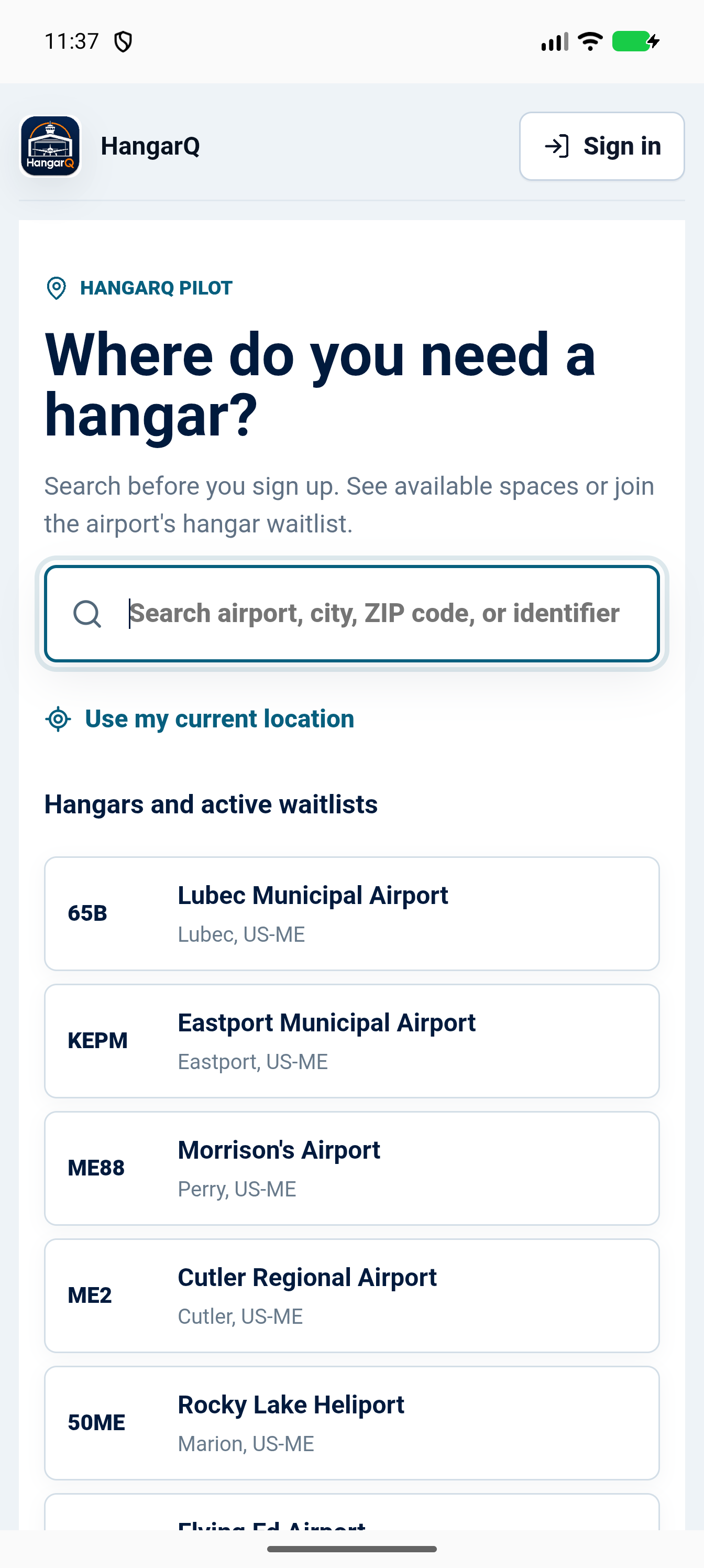
Actual HangarQ beta screen
Pilot-started waitlists
When an airport has no HangarQ waitlist, a pilot can start one. That creates a dated record of interest instead of leaving everyone to wonder who called first or who moved ahead.
Search your airportJoin from your phone and keep a clear record of when you entered the line.
See the airport and your active place without calling for another update.
Managers can verify access, add inventory, review applicants, and send offers.
The real pilot experience
These are screens from the working HangarQ beta, not concept art.
Search before signup
Look up an airport by identifier, name, city, or ZIP code before creating an account.
How it works
Use an identifier, airport name, city, ZIP code, or your current location.
Add your aircraft so HangarQ can help match it to appropriate hangar dimensions.
Enter the waitlist, start one where none exists, or request an available space.
U.S. mobile pilot beta
We are inviting general aviation pilots to test airport search, account setup, waitlists, the mobile dashboard, and optional payment sandbox flows. You do not need to own an aircraft. Payment testing uses Stripe test information only, and no real money can move.
Android testers: approval does not add you automatically. After approval, join the HangarQ Google Group with the same account used in Google Play, then opt in on the Google Play test page. Both steps are required.
Google requires at least 12 opted-in Android testers for 14 continuous days before HangarQ can apply for public Play production access. Apple reviews the first external TestFlight build before its public invitation opens.
Tester application approved
Your approval is complete, but Google enrollment is not. Complete both steps below using the Google account entered in your application.
Choose the same Google account used by the Play Store on your Android device, then select Join group. Seeing the group page alone does not finish this step.
Return here, open the Google Play test page, and select Become a tester. Continue only after Google says You are a tester.
Use the install link on the test page or find HangarQ in Google Play while signed in with the same account.
Remain in the closed test for at least 14 continuous days and use the in-app Report a bug button when something breaks or feels confusing.
Tester application approved
Apple's free TestFlight app delivers and updates the HangarQ beta.
The public invitation will appear here after Apple's one-time external beta review.
Use TestFlight feedback or HangarQ's in-app bug reporter when something breaks or feels confusing.
Airport manager or FBO?